> For the complete documentation index, see [llms.txt](https://pointhub.gitbook.io/pointhub-documentation/llms.txt). Markdown versions of documentation pages are available by appending `.md` to page URLs; this page is available as [Markdown](https://pointhub.gitbook.io/pointhub-documentation/inventory/stock-correction.md).
# Stock Correction
Proses penyesuaian jumlah stok di sistem agar sesuai dengan kondisi aktual di gudang setelah ditemukan selisih karena kesalahan input transaksi.
Berikut langkah-langkah input Stock Correction
1. **Pastikan anda sudah login pada aplikasi ERP**
2. Pilih Menu ***Inventory***
3. Pilih ***Stock Correction*** -> ***Create***
4. Isi Data koreksi stock -> ***SUBMIT***
{% code title="yang perlu diperhatikan saat create correction :" lineNumbers="true" expandable="true" %}
```
Date Correction : Isi tanggal koreksi stock
Warehouse : Pilih gudang tempat stock digunakan
Item : Pilih item stock yang dikoreksi
Quantity Correction : Isi jumlah koreksi stock
Notes : Isi keterangan sebagai catatan tambahan
Allocation : Pilih alokasi sesuai koreksi / tanpa alokasi
Request Approval To : Pilih siapa yang akan menyetujui form koreksi
```
{% endcode %}
tampilan form STOCK CORRECTION setelah berhasil di SUBMIT
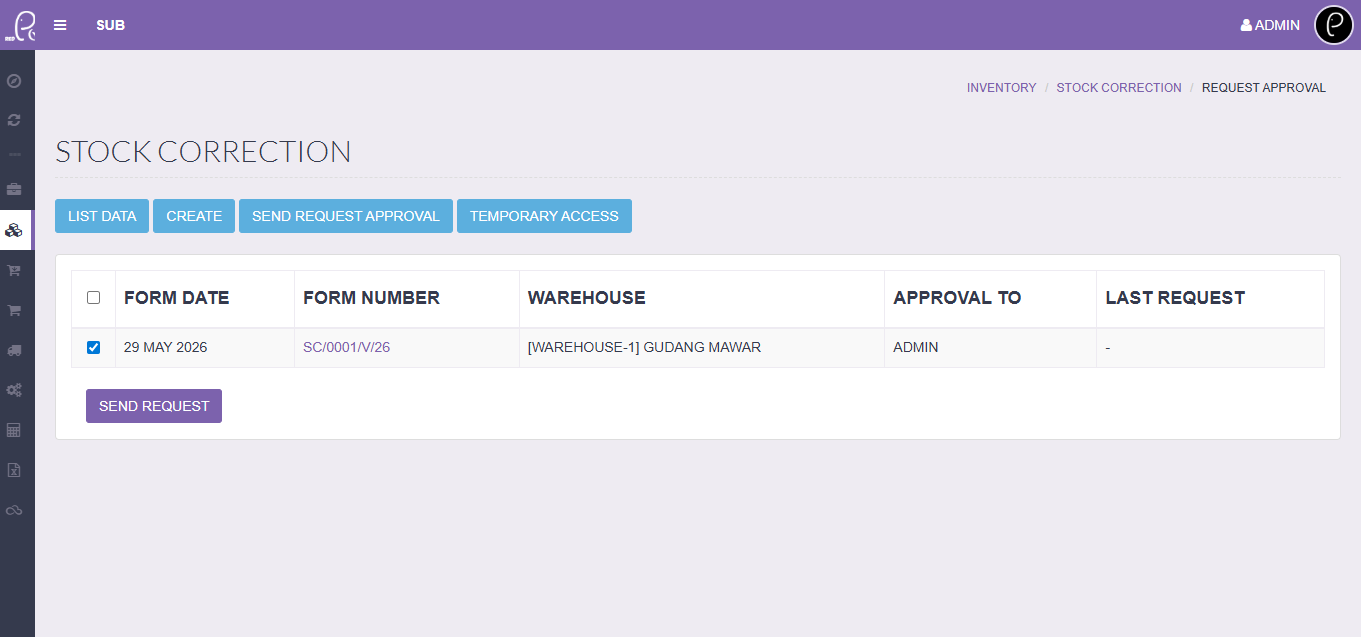
5. Setelah form disubmit, klik tab ***Send Request Approval*** -> *Centang form yang akan di ajukan approval* -> ***Send Request***
6. Pada tab ***List Data*** akan muncul form yang telah di submit dan status form *(pending / approved / rejected)*
{% code title="Note status form yang di request approval kan :" lineNumbers="true" expandable="true" %}
```
Pending : Form belum diapprove yang bersangkutan
Approved : Form telah diapprove yang bersangkutan
Rejected : Form tidak diapprove yang bersangkutan
```
{% endcode %}